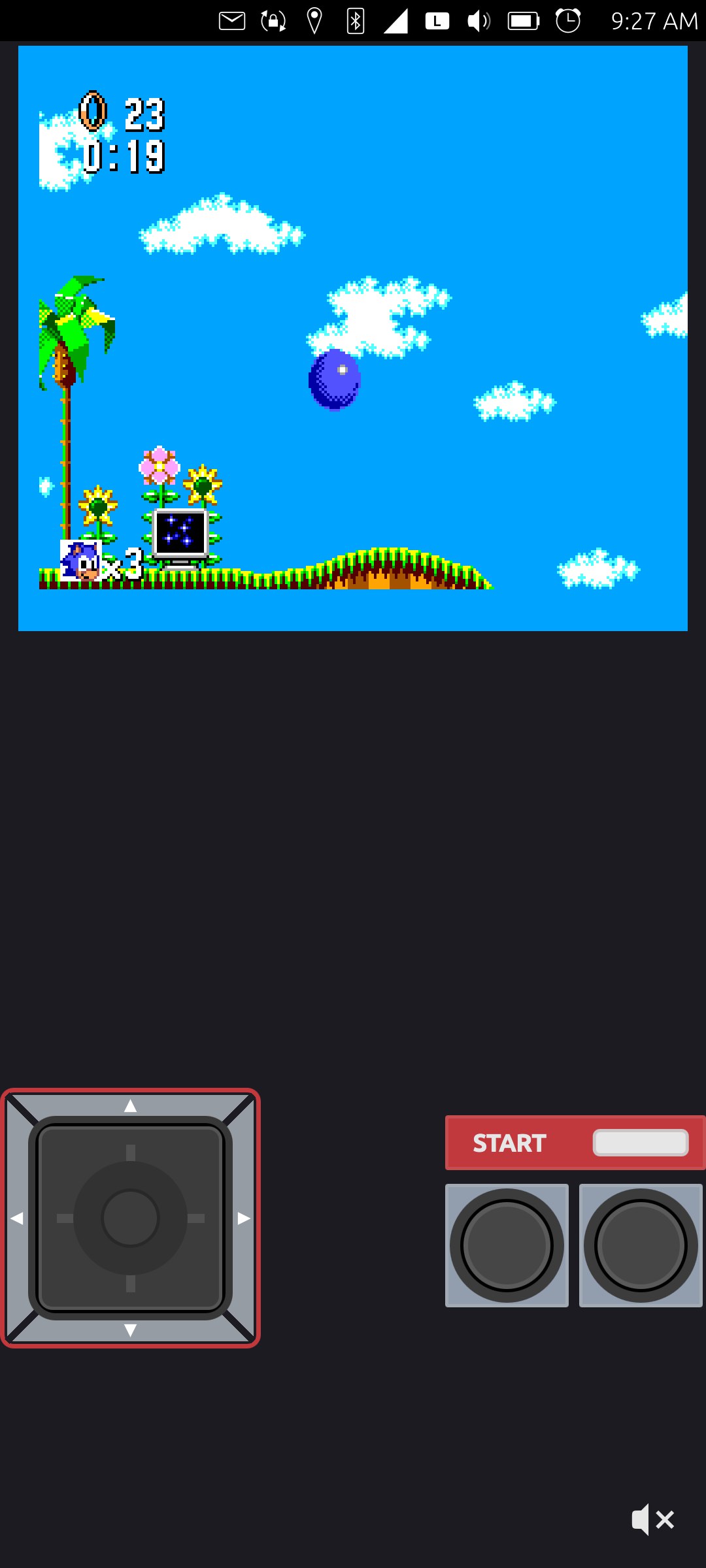
A while back, I had the pleasure of updating the Gearsystem app from Xenial to Focal and then pushed it up to Noble for Ubuntu Touch phones. If you are unfamiliar, Gearsystem is a Sega Game Gear / Master System emulator, which allows you to play old games from those consoles on your phone.
When I did the original updates, and then moved it up through to Noble, I actually had not used the emulator that much. It was fun, but the older games used there were not my favorite titles. Don't get me wrong, I love old games, but I wasn't particularly interested in the old Master System titles. I guess I was just a Nintendo fanboy at heart. However, lately I started playing it more, due to some other life circumstances, and I realized that the emulator had a big problem!
When I started playing it originally, I tested all the buttons, but being unfamiliar with the console, I did not realize that there was a problem with the start button and "1" button. As it turns out, they were tied to the same function, so pressing either button had the same affect as pressing the "1" or "A" button.
Note: I don't know why for sure, but I think Sega called their buttons "1" and "2" instead of A and B so as not to infringe upon the Nintendo controls.
The reason I didn't realize there was a problem is because when testing a game, I would press the Start button at the title screen, which would start the game, then I would play the game with the 1 and 2 buttons. The game I used for testing was Street Fighter, which was from Brazil, which was technically a hack/backport where they took the Street Fighter II arcade game and redid it for the Master System. Since the 1 and 2 buttons were the kick and the punch, and pressing start started the game, I didn't realize that pressing the 1 button would also start the game, and pressing the start button would also punch.
However, while playing several other titles lately, I quickly came to understand that the start button was not functioning as it should. Like in Sonic the Hedgehog, you can't pause the game. So, I started digging around. At first, I thought it might not be an emulator problem, but rather a QML problem with the QML displayed buttons not being mapped to the correct thing. I added some debugging logging statements and watched the console as I tested the emulator and found that all the buttons were mapped correctly, e.g., if you pushed the 1 button, it said "A button pressed" and if you pushed the start button it would say "Start button pressed", so that ruled out QML button mapping issues.
The next place I went to take a look was in the input.cpp and input.h files. Unfortunately, I spent way too much time there, only to realize in the end that it was not an input problem. However, that did lead me to a searchable term, which I was able to find with rgrep:
$ rgrep -i key_start
platforms/qt-shared/MainWindow.cpp:                m_pEmulator->KeyPressed(joypad, Key_Start);
platforms/qt-shared/MainWindow.cpp:                m_pEmulator->KeyReleased(joypad, Key_Start);
src/GSEmulator.cpp:        keyPressed(Joypad_1, Key_Start);
src/GSEmulator.cpp:        //keyPressed(Joypad_1, Key_Start);
src/GSEmulator.cpp:        keyReleased(Joypad_1, Key_Start);
src/GSEmulator.cpp:        //keyReleased(Joypad_1, Key_Start);
src/Input.cpp:        if (!m_bGameGear && (key == Key_Start) && IsSetBit(m_Joypad1, Key_Start))
src/Input.cpp:    m_IOPort00 = (IsSetBit(m_Joypad1, Key_Start) ? 0x80 : 0) & 0x80;
src/definitions.h:    Key_Start = 6,
This listed all of the files with the phrase Key_Start in them, which you can see I originally got from the Input.cpp file. As it turned out, in the GSEmulator.cpp file, there was this odd block of code:
void GSEmulator::startPressed()
{
    if (not m_emu->isGameGear()) {
        aPressed();
    } else {
        keyPressed(Joypad_1, Key_Start);
    }
}
So if the emulated ROM (game) is not a Game Gear game, then if you press the start button, it calls the function for pressing the "a" button. But if the ROM is a Game Gear game, then it calls the function for pressing the Start button. Odd. I was playing a bunch of Master System games, and the start button would not work for them, so I changed the code like this:
void GSEmulator::startPressed()
{
    if (not m_emu->isGameGear()) {
        //aPressed();
        keyPressed(Joypad_1, Key_Start);
    } else {
        aPressed();
        //keyPressed(Joypad_1, Key_Start);
    }
}
I changed it this way because I thought it must be backwards. And this worked great for my test of Master System games. Unfortunately, it caused Game Gear games to not have a working start button! To be honest, I don't know why there is a difference between Game Gear and Master System in the code. The start button should just be the start button! So, I edited it again:
void GSEmulator::startPressed()
{
    if (not m_emu->isGameGear()) {
        //aPressed();
        keyPressed(Joypad_1, Key_Start);
    } else {
        //aPressed();
        keyPressed(Joypad_1, Key_Start);
    }
}
I probably should remove the whole check if/else statement. But I left it in, in case there is some reason that I later will realize needs the check and to differentiate the two uses of the button. Either way, now it works for both Sega Game Gear games and for Sega Master System games.
Linux - keep it simple.